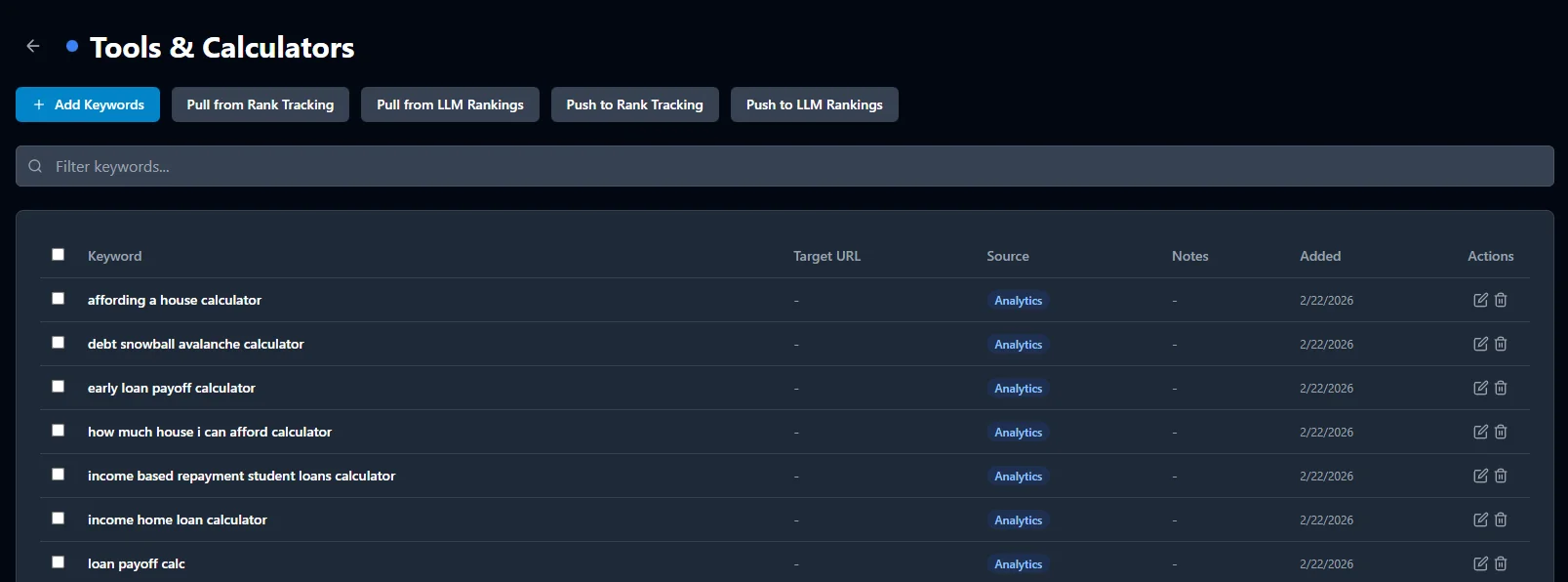
Stop re-entering the same keywords across Rank Tracking, AI Visibility, Research, and Analytics. Create a keyword list, cluster by topic with AI, classify search intent, and push anywhere with one click.
Keyword Lists is the central hub for all your SEO keywords. Create color-coded lists by topic, campaign, or client. Every keyword tracks its source — Analytics, Research, Rank Tracking, or manual entry — so you always know where it came from. For example, you might create separate lists for "Brand Terms," "Competitor Keywords," and "Long-Tail Opportunities" to keep your strategy structured.
We built this feature after seeing users re-enter the same keywords across three or four different tools, wasting time and introducing errors with each copy-paste.
The magic of Keyword Lists is the push/pull system. Found great keywords in Analytics? Pull them into a list. Ready to track rankings? Push the list to Rank Tracking. Want to monitor AI visibility? Push to AI Visibility. No copy-paste. No re-typing. One click. In our experience, this single workflow eliminates the most common source of keyword tracking gaps — the keywords you meant to track but never got around to adding manually.
“It'll also make it easier to join page-level information from internal systems to Search results in a more effective and comprehensive way.”
— Daniel Waisberg, Gaal Yahas, and Haim Daniel, Search Console team, Google · Bulk data export: a new and powerful way to access your Search Console data (Google Search Central Blog)
Import your top-performing keywords with clicks, impressions, and position data attached.
Bring tracked keywords into a list to reorganize, annotate, or push to other tools.
Import keywords you're already monitoring across AI search engines.
Send an entire list to Rank Tracking with one click. Duplicates are automatically skipped.
Push keywords to monitor your AI search visibility across ChatGPT, Claude, Perplexity, Gemini, and DeepSeek.
Type or paste keywords directly. Bulk add from any source — CSV, spreadsheet, or just a list.
You don't have to visit Keyword Lists to use it. Every table in SEObolt — Analytics, Keyword Research, Rank Tracking, AI Visibility — has a quick-add button that lets you save keywords to any list without leaving the page. For example, while reviewing your top queries in Analytics, you can save any promising keyword to a "Content Ideas" list with a single click.
Hit the Cluster button on any keyword list with 3+ keywords and AI groups them into semantic topic clusters automatically. Each keyword is classified with search intent — so you know exactly which content type to create. Ahrefs' study of 3 million searches found the average #1 ranking page also ranks in the top 10 for nearly 1,000 other relevant keywords (Ahrefs).
“The idea here is that if Google ranks the same pages for many keywords, they have the same or similar intent and should generally be targeted on the same page.”
— Joshua Hardwick, Former Head of Content at Ahrefs · How To Do Keyword Clustering the Easy Way (Ahrefs Blog)
Create your first keyword list and push it to every tool in seconds.
Get Started